
Features
NovelShaft features
Manuscript editing, AI consultation, reference management, and file exports, explained with real screens.
- Features listed
- 107
- Categories
- 11
- Screenshots
- Web app
These screenshots show the current Web app in English, using sample projects and the relevant feature areas. Select an image to enlarge it. Layout may vary with screen size and updates. Check each description for Web or mobile availability and usage conditions.
Works and projects
Create projects, browse your works, rename them, and open them across devices.
6
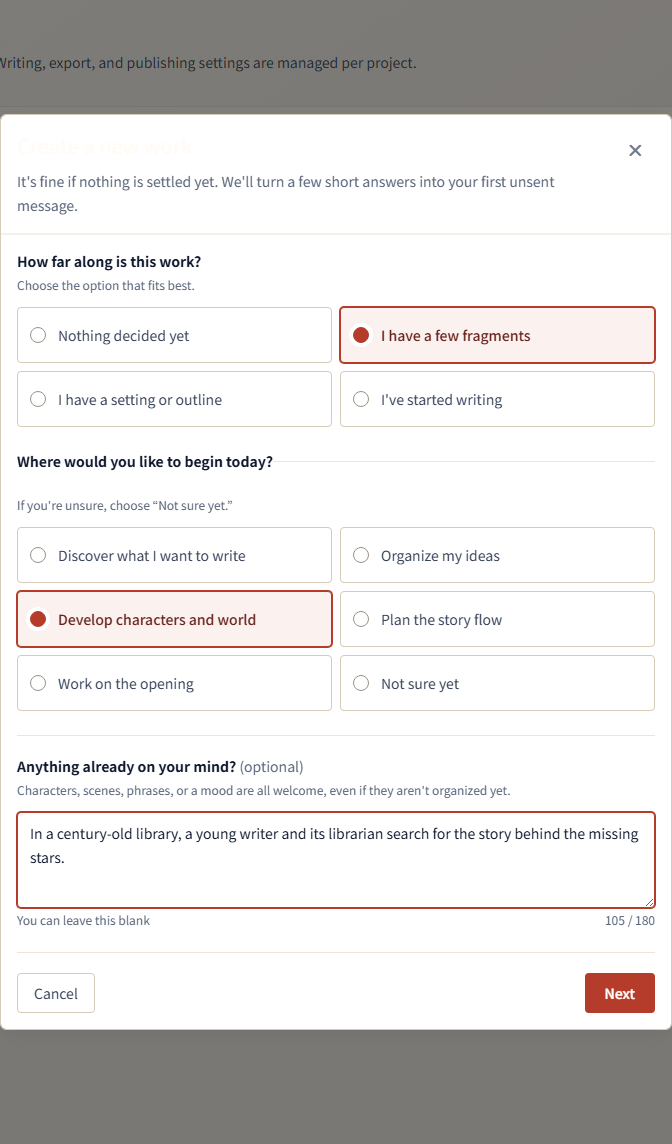
- Create a project
- Enter a working title to create a separate workspace for a work. In the first consultation, describe what you want to write and the ideas you have using suggested replies, text, or voice.
-

Enter a working title to create a new project. - Starter sample project
- After registration, open a sample project containing a manuscript, reference material, and AI conversations. Use its contents to check the screens and features.
- Project list
- View each work's title, manuscript count, thread count, and last update. Select a work to open its writing workspace.
- Rename or delete a work
- Rename a work from the project list. Before deleting one, review the selected work in a confirmation dialog.
- Japanese and English works
- Create works in Japanese or English. AI responses, character or word counts, search, voice features, and file exports follow the work's language.
- Works shared across Web and mobile
- Sign in with the same account to open the same manuscripts, references, and conversations on Web and mobile. Your plan and AI credits are also shared.
Dashboard and writing progress
View writing charts, a calendar, writing goals, and earned badges.
5
- Writing dashboard
- On Web, view net changes in body length, days with manuscript saves, consecutive saving days, and your current number of works. The starter sample is excluded from these totals.
- Manuscript length chart
- View daily net changes in body length as bars and the cumulative change during the selected period as a line. The chart counts your own edits and saves, excluding changes made by AI.
- Writing activity date range
- On Web, view writing activity for the last 7, 30, 90, or 365 days; today; this week; this month; or a custom start and end date.
- Writing calendar
- On Web, see the days on which you saved a manuscript. Select a date to check the number of saves and the net change in body length.
- Badge list
- View badges earned by meeting writing and other achievement criteria. Check each badge's requirements, the date it was earned, and the related work.
Writing workspace
Arrange the consultation and editing areas, change project settings, and undo saved changes.
6
- Writing workspace
- Display AI consultation, the manuscript outline, and the prose editor in the same screen. Switch between the manuscript and reference material using tabs.
-

AI consultation on the left, with the chapter outline and manuscript editor on the right. - Manuscript, references, and project settings
- Switch between the manuscript, reference material, and project settings without closing the work. The consultation area remains available for the same work.
- Resizable work areas
- On Web, move the boundaries between the consultation area, manuscript or reference list, and editor to adjust their widths.
- Project-wide undo and redo
- Undo or redo saved changes across the project's manuscripts, reference material, and settings. Use the shared controls in the project screen.
- Writing policy
- Edit the style and notation rules for an individual work in project settings. The policy is saved as reference material and can be consulted by AI.
AI consultation
Discuss a work, create and edit manuscripts and references, generate images, and listen to responses.
22
- AI chat
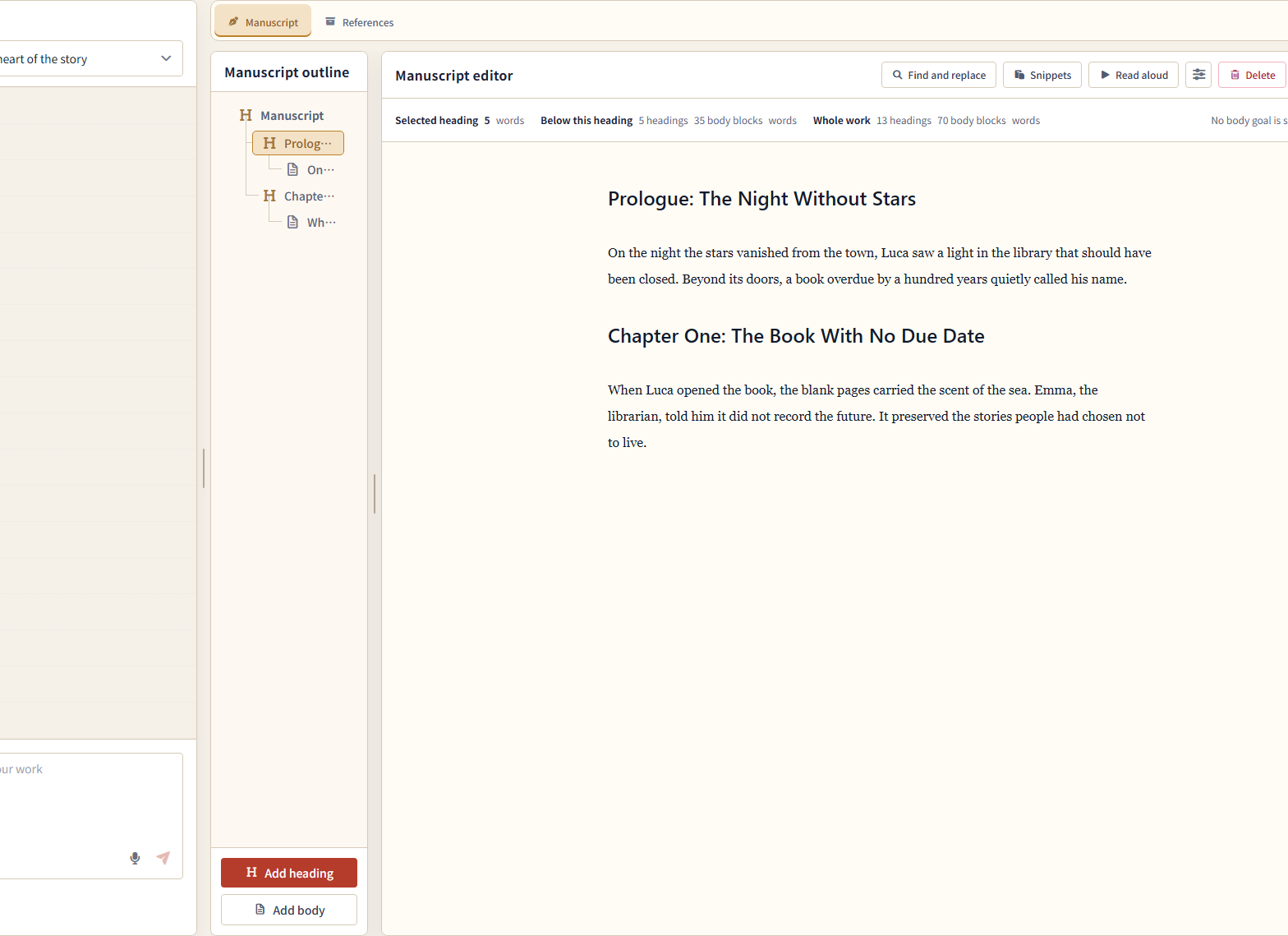
- Discuss your work in text and receive ideas, organized setting notes, outlines, and draft passages. AI responses use AI credits.
-

An AI response with suggested replies, copy, and read-aloud controls. - Voice input and transcription
- Dictate a working title or consultation message. Convert the recording to text and review it before use. Transcription uses AI credits.
- Thread management
- Create, rename, switch, and delete threads for different topics or purposes, such as characters, scenes, and settings.
- AI model selection
- Set a default AI model or choose a different model for a single consultation. Available models depend on your plan.
- AI personality settings
- Set the AI's speaking style and response tendencies. Changes apply from the next response.
- Suggested replies
- Select a suggestion attached to an AI response to send it as your next message. You can also type your own response.
- Stop a response
- Stop the AI while it is generating an answer.
- Draft during an AI response
- While the AI responds, type the next message, record voice input, or select the next AI model. Send the next request after the current operation finishes.
- Image generation
- Request an image of a character, location, or other subject. Generate up to one image per request and view it in the conversation. Image generation uses AI credits.
- Diagrams in conversations
- View character relationships, event sequences, and hierarchies as diagrams. The AI combines prose and diagrams when a diagram helps explain the content.
- Adjust and save images
- Select an image in the conversation and request a revised version while keeping the original. Confirm the name and destination before saving a chosen image as reference material. Generation and revision use AI credits.
- Consultation using manuscripts and references
- Find relevant passages in the same work's manuscript and references and receive an answer based on that content. Search capabilities and the amount of content available for reference depend on your plan.
- AI operation status
- Check the AI's current operations and their results in the conversation, including reference searches and manuscript edits.
- AI reference creation and organization
- Ask the AI to create or edit setting documents and structured references, or organize and move them into folders. The AI cannot delete reference material.
- Retry sending or transcription
- If sending a message or transcribing a recording fails, retry using the text or audio that could be retained.
- Restore unsent messages
- Keep an unsent message and its reference tags in the same browser tab. Restore the draft after reloading the page or switching conversations.
- Copy, rate, and report AI responses
- Copy an AI response and give it a positive or negative rating. Report inappropriate content to the service with a reason.
- Read AI responses aloud
- On Web, play an AI response as speech. It uses the same read-aloud method, voice, and speed as the manuscript. Natural AI read-aloud uses AI credits.
- Automatic response read-aloud
- On Web, turn on automatic read-aloud to hear subsequent new AI responses. Toggle it from the conversation controls.
- Run the same request again
- On Web, repeat the latest request if its AI response was conversation only and did not change manuscripts, references, images, or other content. The new response replaces the previous one and uses AI credits.
Manuscript
Edit prose, organize chapters, manage ruby annotations, check length, and search and replace text.
12
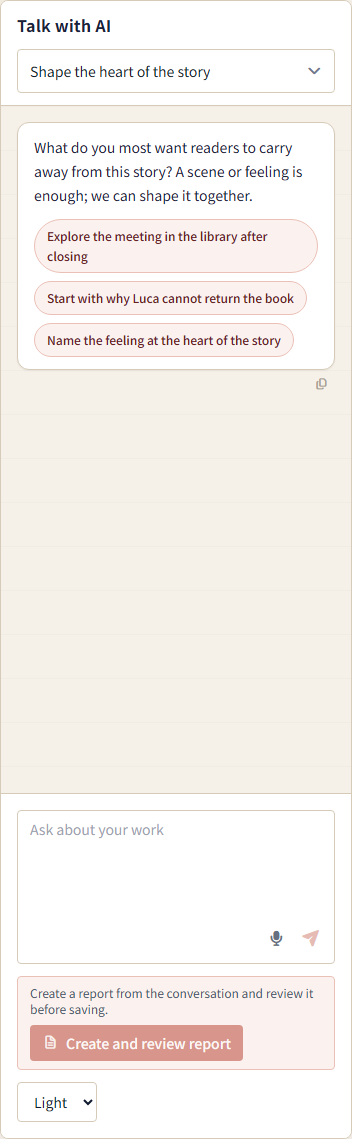
- Manuscript editor
- Enter headings and prose in one continuous editor. Spaces, blank lines, and line breaks are preserved when you save.
-

The chapter outline beside the selected chapter in the manuscript editor. - Ruby annotations and pronunciation guides
- Register words and their pronunciations in a project-wide list. Show small reading annotations alongside matching words throughout the manuscript. Add or edit entries in Manage ruby.
- Manuscript outline
- View chapters, sections, and body text in a hierarchy. Select an item to open its text, or drag items to change their order or nesting.
- Add, delete, and reorder manuscript blocks
- Add headings or body blocks at a chosen position and change their order or hierarchy. Review the target and impact before deleting.
- Character and word counts
- Check the length of the selected manuscript block, its descendants, and the whole work. Japanese uses character counts and English uses word counts, with headings and body text shown separately.
- Writing length goal
- Set a target for the total body length of a work. View its current length, the amount remaining, and the completion percentage.
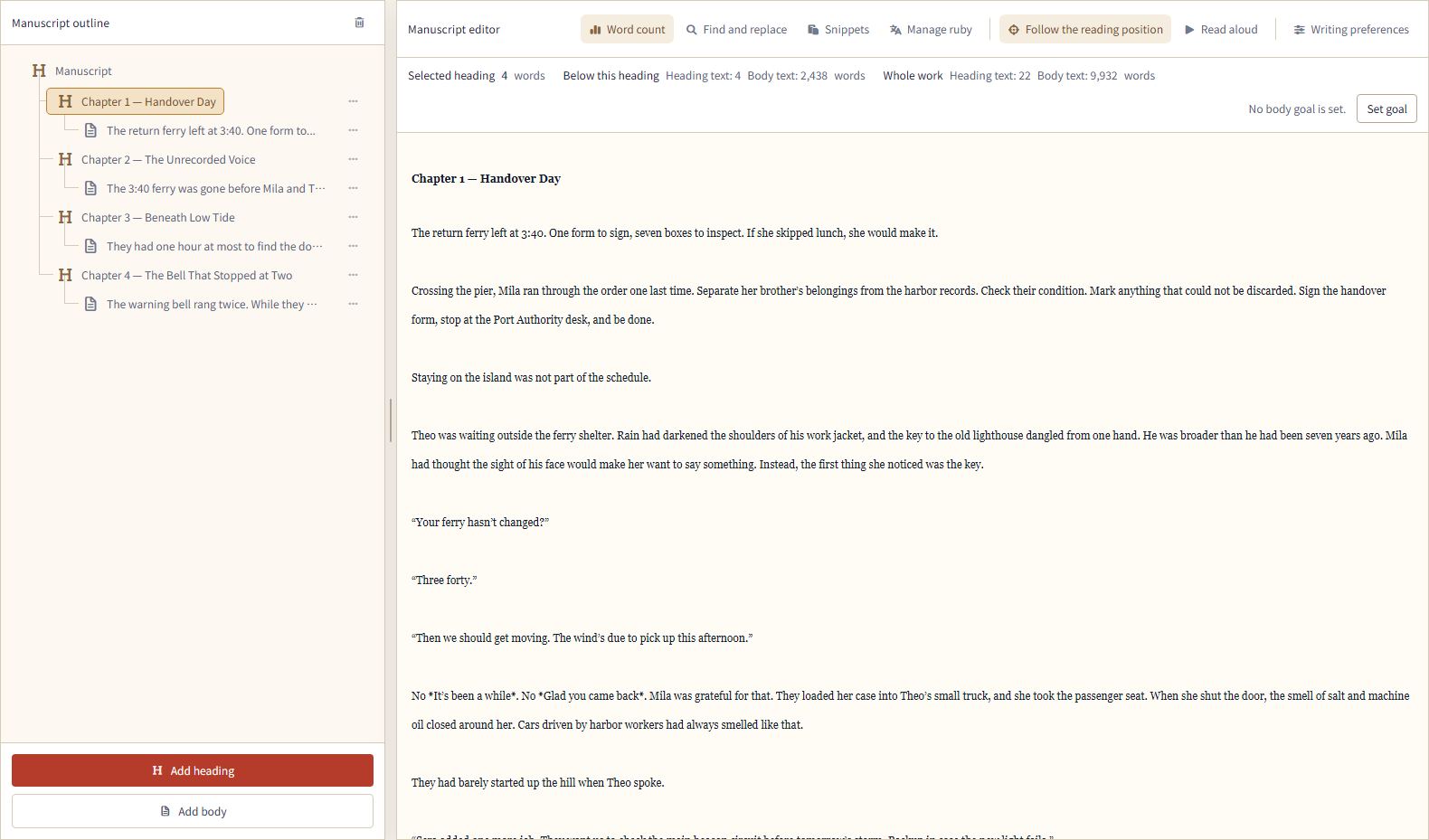
- Manuscript search
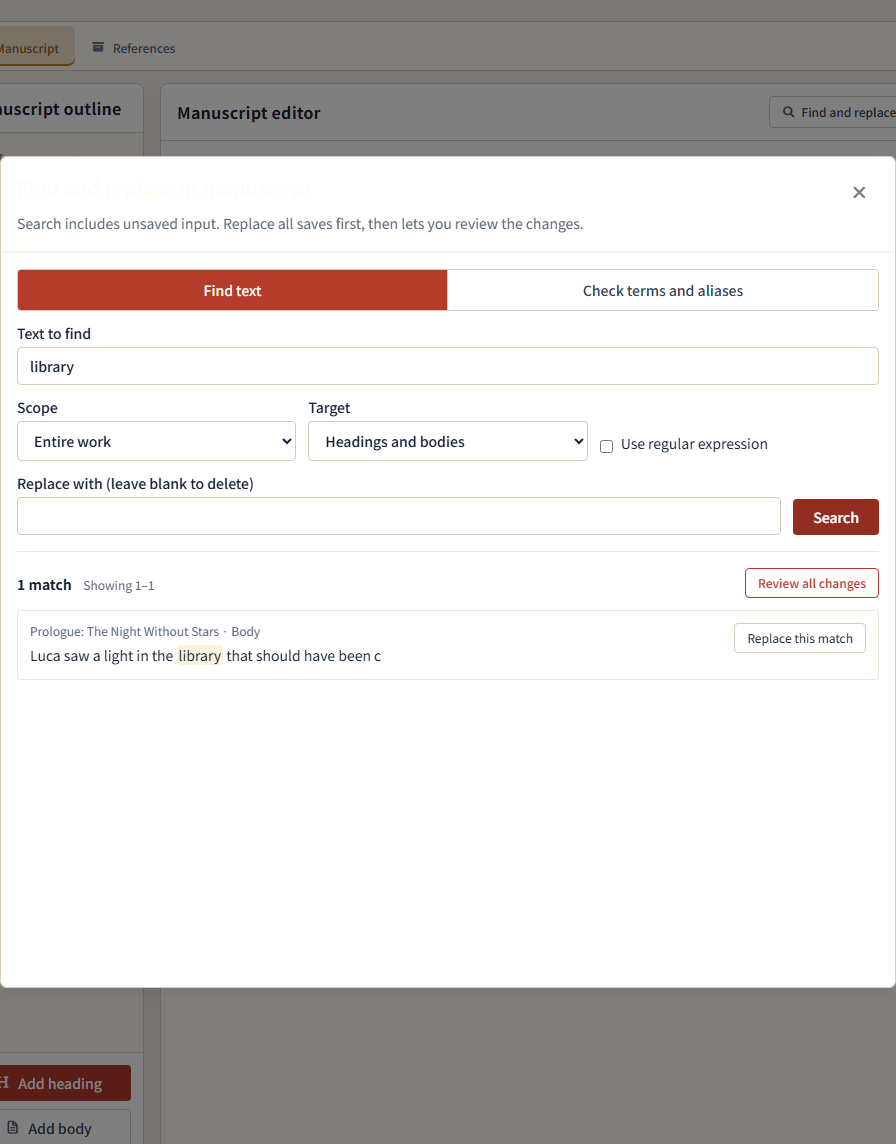
- Specify the search text, scope, and whether to search headings or body text. View matches in context, including unsaved input. Constrained regular expressions are also supported.
-

Search criteria and the matching heading for Chapter 4 — The Bell That Stopped at Two. - Search names, terms, and aliases together
- Enter each name, place, or alias on a separate line to see where each one appears across the manuscript.
- Replace one match
- Choose one search result to replace. The replacement appears in the editor so you can review it before saving.
- Bulk replacement with preview
- List proposed replacements within a selected scope and compare the before-and-after text before applying them together. If another change occurs during review, reload and confirm the content again.
- Snippets
- Create, edit, reorder, and delete reusable short passages. Insert a snippet at the cursor or over selected text. Snippets are shared across works and between Web and mobile.
- Edit-conflict protection
- If another screen or the AI changes the same manuscript first, your draft is not silently overwritten. Review the latest content before saving.
Reference material
Save and edit notes, characters, locations, world settings, plots, and relationship diagrams for each work.
14
- Reference folders
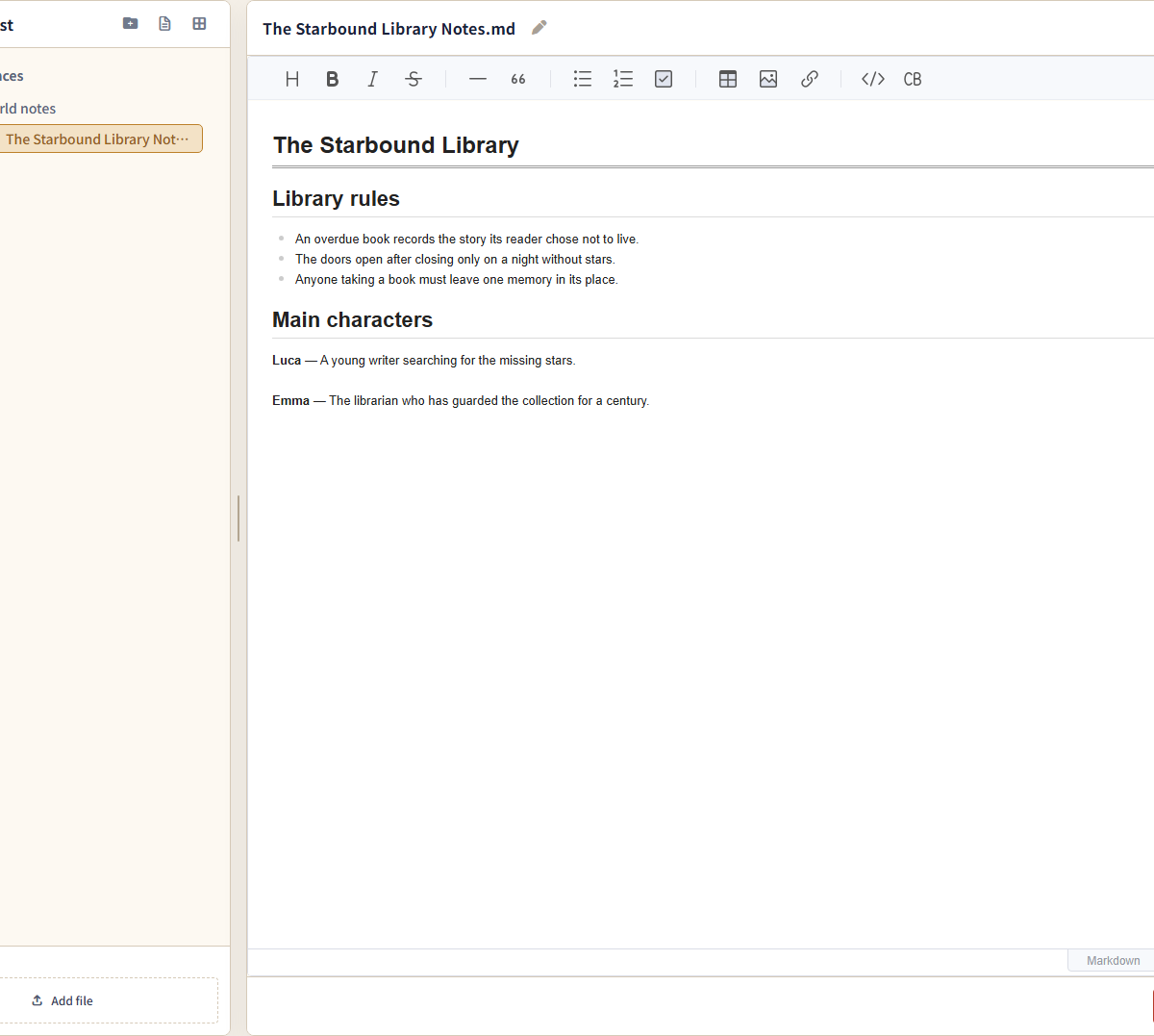
- Save reference material for each work and organize it in folders. Add, rename, move, reorder, and delete documents and files.
-

Reference folders with 01_Story_Design.md open for editing. - Free-form reference documents
- Create documents for settings and research notes. Edit with headings, lists, and tables, or switch to Markdown view.
- Import reference files
- Save supported external files, including text and images, as reference material for a work. Whether a file can be edited or only viewed depends on its format.
- Structured references
- Choose a template for characters, locations, plots, or other material and fill in its fields. View the same reference using its specialized display, a table, or JSON.
- Reference table editing
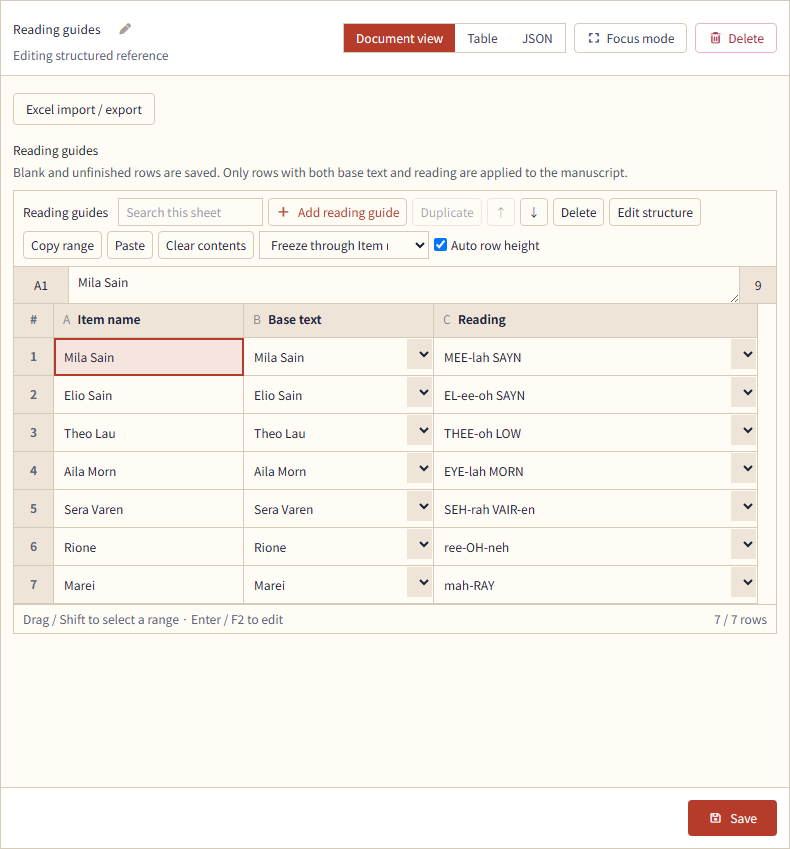
- On Web, edit structured references in a table. Add, duplicate, and move rows; resize and freeze columns; and copy or paste cell ranges.
-

Reading guides shown as a table, with base text and pronunciation edited by row. - Reference Excel import and export
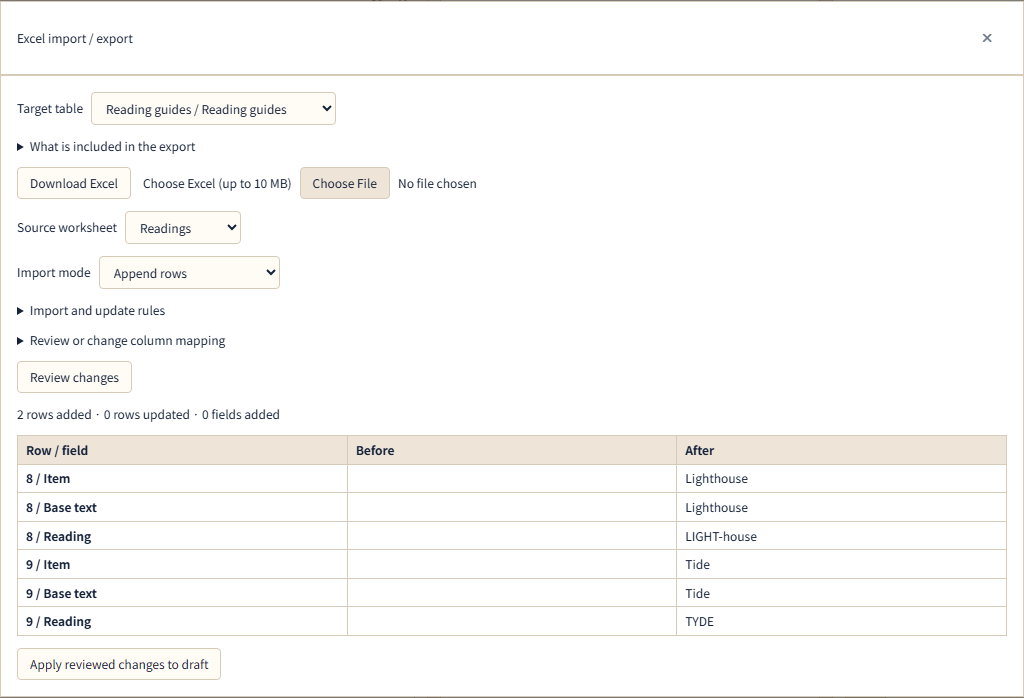
- On Web, export reference tables as Excel (.xlsx) files or import them from Excel. Review column mappings and proposed changes, apply them to the draft, then save.
-

Review the new rows and field values from an Excel file before applying them to the draft. - Search and edit reference fields
- On Web, search reference rows. Use Edit structure to add available fields and adjust their names, order, and visibility.
- Plots, chapter plans, and scene cards
- Organize a story using a basic plot, a hierarchical outline, scene cards, or the four-part kishotenketsu structure. Keep scene order and scene details in the same reference.
- Characters, locations, and world settings
- Enter character goals and conflicts, location details, and world rules in individual fields. Review them in lists, cards, or other displays suited to the reference type.
- Timeline
- Organize story time points and events in their saved order. Switch between list editing and a vertical timeline.
- Character relationship diagrams
- Enter characters and their relationships, then view or edit the same information as a diagram or text list. Link characters to character references in the same work.
- Family trees
- Enter parent-child, partner, sibling, and other family relationships. View and edit them in a diagram organized by generation or a text list.
- Images in reference material
- Attach images already saved in the work or imported from your device to character, location, and other references. Add descriptions to the images.
- Expanded reference editor
- On Web, temporarily hide the reference list to give the selected reference more editing space. Reopen the list from the controls.
Creative assists
Follow a conversation on a specific topic and compile the results into a report.
5
- Creative assist catalog
- Browse conversation-based assists for specific topics, such as characters or a story's central idea. Check each assist's description, price, and acquisition status.
- Acquire and reuse creative assists
- Reuse acquired creative assists across multiple works. Both free and paid assists are available; conversations use AI credits.
- Dedicated creative assist threads
- Create a dedicated thread in a selected work to explore a specific topic using its manuscript and references.
- Report preview
- Compile a creative assist conversation into a report and review it before saving. Return to the conversation to request revisions.
- Save and update reports
- Save a reviewed report as new reference material or update the same report you saved earlier. Creative assists do not directly change the manuscript or existing settings.
Reading and writing settings
Choose writing direction, fonts, text size, read-aloud voices, and playback speed.
9
- Theme settings
- Choose automatic, light, or dark appearance. Display settings are kept separately on each device.
- Interface text size
- Choose small, medium, or large interface text. Adjust manuscript text and controls to suit the device you are using.
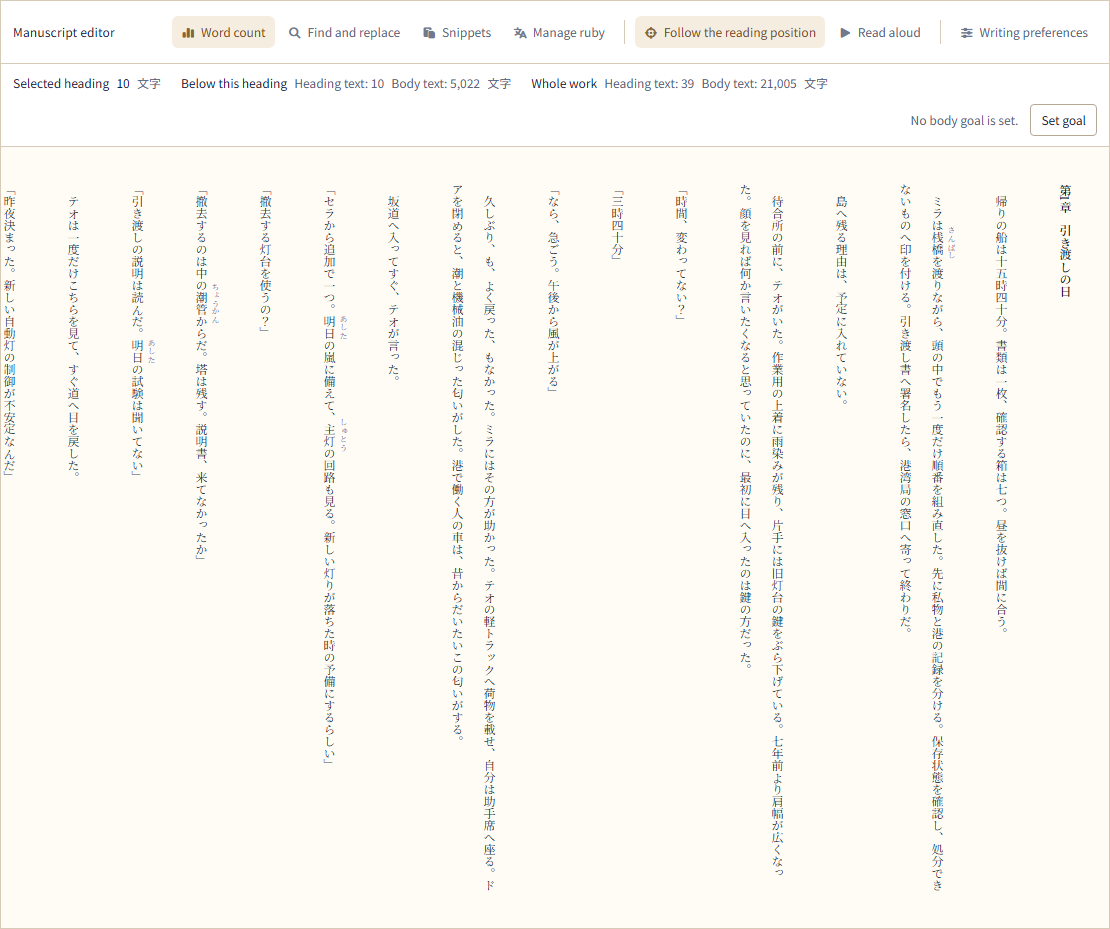
- Horizontal and vertical writing
- Switch Japanese manuscripts between horizontal and vertical display. The direction is saved on each device. PDF and EPUB exports use horizontal writing.
-

A Japanese manuscript displayed vertically in the English interface. Vertical writing is available for Japanese works. - Manuscript font
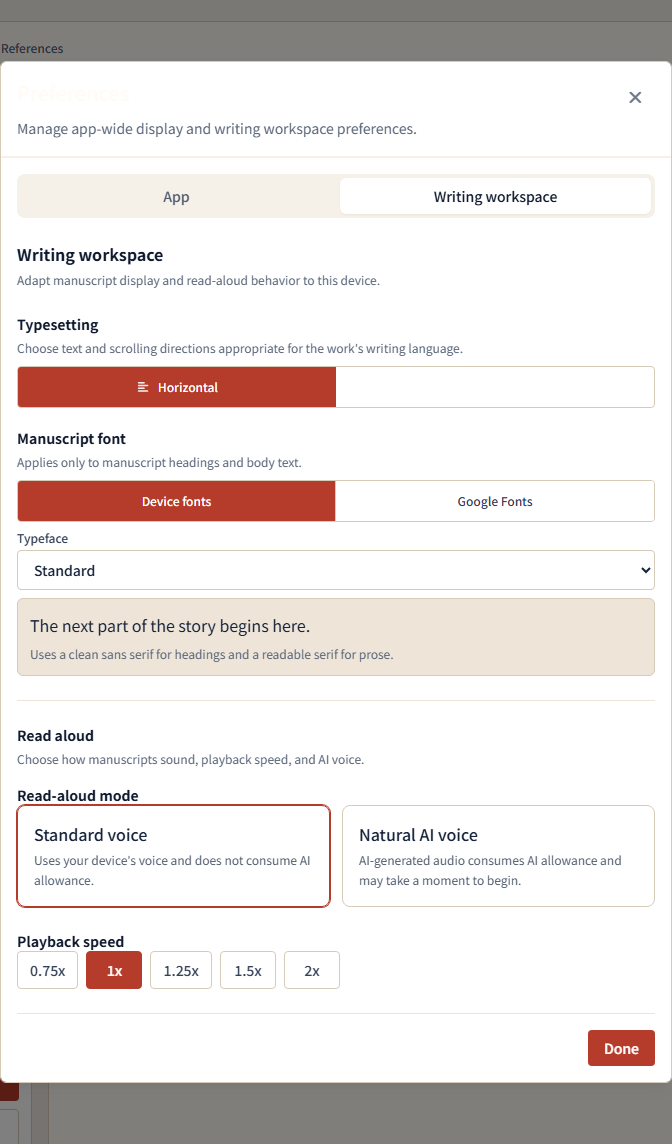
- Choose a manuscript typeface and preview it before selecting. Font options depend on the work's language; Japanese options include Mincho, Gothic, and supported Google Fonts.
- Toolbar labels
- On Web, choose whether manuscript editing tools display their names or mainly use icons.
- Standard read-aloud
- Read the manuscript using your device's or browser's voices. Play selected text or the current manuscript without using AI credits.
- Natural AI read-aloud
- Listen to the manuscript using speech generated by AI. Voice generation uses AI credits and may take longer to start than standard read-aloud.
- Read-aloud voice and speed
- Choose a read-aloud method and voice, and set playback speed from 0.75x to 2.0x. Preview the voices available for natural AI read-aloud.
-

Settings for the manuscript font, toolbar labels, read-aloud method, and playback speed. - Follow the read-aloud position
- On Web, see the current read-aloud position in the manuscript. Turn on following to move the manuscript view as playback advances.
Export and publication
Export manuscript files and manage a reader-facing version of your work.
12
- Manuscript export scope
- Export the whole work or a selected range of manuscript blocks.
- Text, Markdown, and Word export
- Export the manuscript as a text, Markdown, or Word (DOCX) file. Spaces, blank lines, and line breaks in the body are preserved.
- PDF export
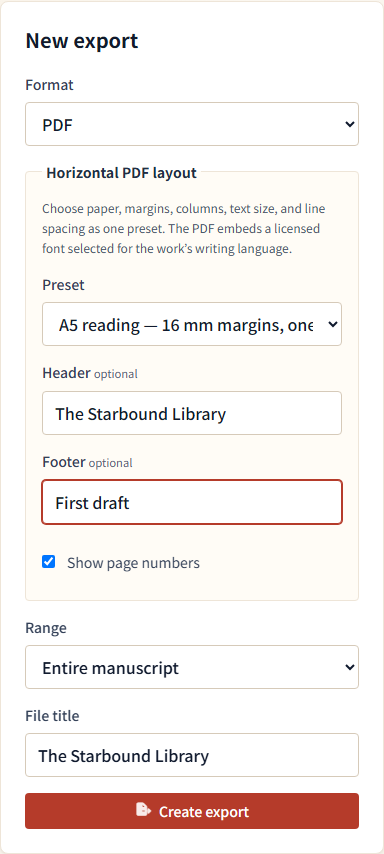
- Create a horizontal PDF using A5, A4, Letter, or two-column A4 layout. Configure headers, footers, and page numbers.
-

Choose a PDF layout and the manuscript range to export. - EPUB export
- Create a horizontal, reflowable EPUB 3 that adapts text to the reader's screen. Set the author name and optionally use an image from the work's references as a cover.
- Export history and downloads
- Check file generation status and export history. Download completed files from the history before they expire.
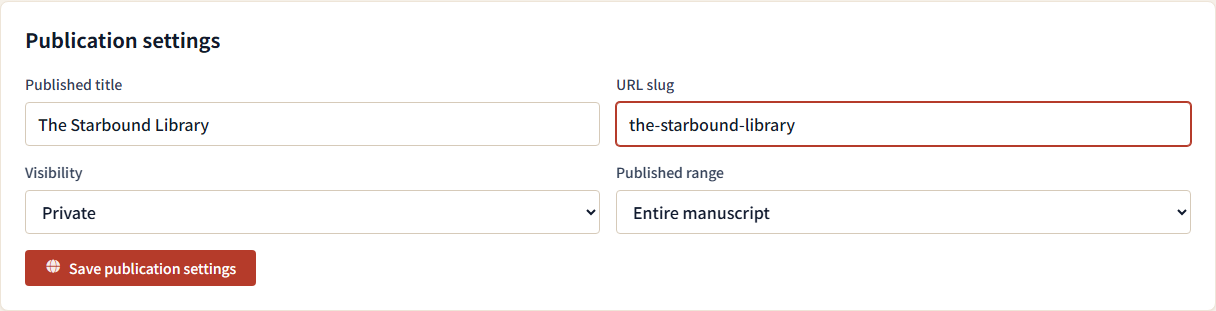
- Publication visibility
- Keep a work private, share it through an unlisted link, or publish it publicly. Unlisted and public sharing require agreement to the public-content terms.
-

Set the work information shown to readers and choose its publication visibility. - Published title, author name, and description
- Set the title, author name, and description shown on the reader page. Edit them separately from the working project name.
- Update published content
- The reader page displays the saved manuscript as it was when published. Further writing is not published automatically; apply it with Update published content.
- Share a publication URL
- Copy a publication URL, use your device's sharing options, or open an X post composer. Regenerate an unlisted link to prevent the previous URL from granting access.
- Reader-facing work page
- Display a work's title, author name, description, table of contents, and manuscript on a reading page. Readers can view it without signing in.
- Reading display and saved position
- Readers can adjust text size, line spacing, and background. Save the reading position on the same device and reopen at that point.
- Change or stop publication
- Change visibility or the published scope, compare the published version with saved manuscript changes, and update the reader-facing content. Stop publication when needed.
Plans and AI credits
Compare and change plans, check and add AI credits, and manage subscriptions.
7
- Plan comparison
- Compare the Mini campaign with Free, Light, Standard, and Pro by price, AI credits, available AI models, and reference-material limits.
- Plan changes
- Change your plan and check when the change takes effect and how long your current entitlements remain available.
- AI credit balance
- Check your remaining AI credits, their expiration dates, and the next amount due to expire.
- AI credit history
- View grants, adjustments, and usage in a single history and open details of individual usage entries.
- Add AI credits
- Purchase additional AI credits on any base plan, including Free. Buying credits alone does not change which AI models are available or increase reference limits.
- Restore mobile purchases
- Recheck App Store or Google Play purchases and apply eligible plans or pending purchases to the current account. The same purchase is not granted twice.
- Subscription and payment management
- Use the management screen for the service where you subscribed to stop renewal or manage payment and billing details. Deleting a NovelShaft account and managing a store or payment-provider subscription are separate procedures.
Account and safety
Manage your display name, language, sign-in methods, and identity verification.
9
- Profile settings
- Manage your display name and other basic profile information.
- Interface language
- Switch between Japanese and English before or after signing in. After sign-in, the language is saved to your account and shared across Web and mobile. Changing it does not change a work's language.
- Registration and sign-in
- Register or sign in with an email address and password or a supported external account.
- Email address management
- Change your primary email address and add or remove secondary addresses. When promoting a secondary address or entering a new primary address, verify ownership using a code sent to that address.
- Password management and reset
- Add or change a password. If you forget it, reset it after verifying your identity.
- External sign-in methods
- Connect or disconnect supported external accounts as sign-in methods.
- Multi-factor authentication
- Set up or remove an additional identity check using an authenticator app.
- Account deletion
- Delete your account and check its processing status. Deletion is normally immediate. With an eligible Apple subscription, you may instead schedule deletion for the verified end of access and cancel it before that date.
- Report a published work or author
- Report a problem with a published work or author by selecting the target and reason and adding details if needed.
No matching features. Try another search term.
Explore features in a sample project
Create a free account to open a sample project with a manuscript, references, and conversations.