
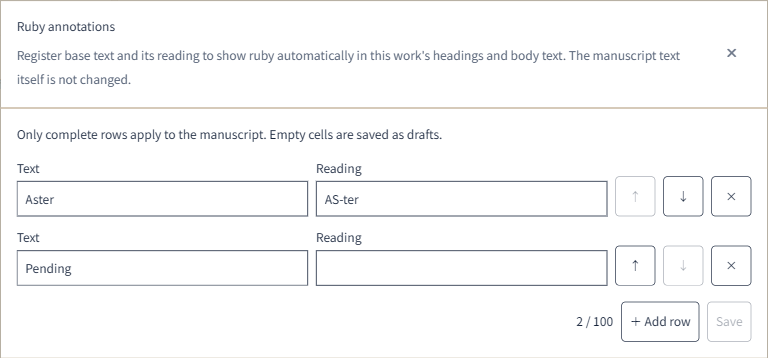
The Web ruby annotation editor now shows base text and readings in a list. Add rows and save them together, or use the up and down arrows to change their order.
If a reading is undecided, leave it blank and save the row as a draft. Only rows with both base text and a reading are applied to the manuscript. Your existing annotations are carried over.
After importing a work, handoff information is now saved as ordinary Markdown reference documents. Follow the links in the initial message to review the work handoff, source files and their destinations, and questions and answers from the import.
Structured references are created from registered templates. When no template fits imported content, the content is kept in a Markdown reference document.
The editor changes in this update apply to the Web version. The new mobile ruby editor will follow in an app update.